Python Course In Telugu

Full Stack Python Programming

Become a Python Developer by learning for Basic to Advanced Level. If you want to learn Python programming from scratch in a short amount of time, this master's level course is for you!

Note: Recorded Content
Course Details
Doubts Session
1Hour Daily
Telugu
Teaching Language
Telegram
Mode Of Content
250+ Hours
Recorded Content
Life Time
Recording Content Access
Fee Stucture
₹1,999
Course Syllabus

In this Introduction, you will learn what will be taught in this course and benifits of this course.

  • What is Programming?
    • Definition of Programming
    • Purpose and Importance of Programming
    • How Programming Works
  • What is Coding?
    • Definition of Coding
    • Difference Between Programming and Coding
    • Writing Instructions for Computers
  • Python Library
    • Overview of Python Libraries
    • Popular Python Libraries like NumPy, Pandas, Matplotlib
    • How to Install and Use Libraries
  • Python Modules
    • Understanding Python Modules
    • Importing Modules
    • Creating Custom Modules
  • Python Webframework
    • Introduction to Web Frameworks
    • Popular Python Web Frameworks like Django, Flask, FastAPI
    • Use Cases for Web Development
  • Flavours of Python
    • CPython, Jython, IronPython, PyPy
    • Differences Between Flavours
    • Choosing the Right Python Version
  • What can Python do?
    • Web Development
    • Data Science and Machine Learning
    • Automation and Scripting
    • Game Development and GUI Applications
  • Why Python?
    • Easy to Learn and Read
    • Wide Community Support
    • Extensive Libraries and Frameworks
    • Cross-Platform Compatibility
  • Python Syntax compared to other programming languages
    • Indentation Instead of Braces
    • Dynamic Typing
    • Readability and Conciseness
  • Python Installation
    • Downloading Python from Official Website
    • Installing Python on Windows, macOS, Linux
    • Verifying Installation
    • Setting up Environment Variables

  • The print statement
    • Using print() to Display Output
    • Printing Multiple Values
    • Formatting Output with f-strings and .format()
  • Comments
    • Single-Line Comments Using #
    • Multi-Line Comments Using Triple Quotes
    • Importance of Comments in Code
  • Python Data Structures & Data Types
    • Primitive Data Types: int, float, str, bool
    • Non-Primitive Data Types: list, tuple, set, dict
    • Mutable vs Immutable Data Types
  • String Operations in Python
    • Concatenation and Repetition
    • Indexing and Slicing
    • String Methods: upper(), lower(), replace(), split(), join()
  • Python keywords
    • What are Keywords in Python
    • List of Reserved Keywords
    • Using Keywords Correctly in Programs
  • Python Variables
    • Defining Variables
    • Variable Naming Rules
    • Assigning and Reassigning Values
  • Python Type Conversions
    • Implicit Type Conversion
    • Explicit Type Conversion Using int(), float(), str()
    • Converting Between Data Types
  • Simple Input & Output
    • Using input() to Get User Input
    • Converting Input to Appropriate Type
    • Displaying Output Using print()

  • Arithmetic operators
    • Addition
    • Subtraction
    • Multiplication
    • Division
    • Modulo
    • Exponent
    • Floor Division
    • Using Operators in Expressions
  • Assignment operators
    • Simple Assignment =
    • Compound Assignment +=
    • Compound Assignment -=
    • Compound Assignment *=
    • Compound Assignment /=
    • Compound Assignment %=
    • Compound Assignment **=
    • Compound Assignment //=
    • Assigning Values to Variables
  • Comparison operators & Logical operators
    • Comparison: ==
    • Comparison: !=
    • Comparison: >
    • Comparison: <
    • Comparison: >=
    • Comparison: <=
    • Logical: and
    • Logical: or
    • Logical: not
    • Combining Conditions
    • Using in If Statements and Loops
  • Identity operators
    • is Operator
    • is not Operator
    • Checking Object Identity
    • Difference Between Identity and Equality
  • Membership operators & Output
    • in Operator
    • not in Operator
    • Checking Membership in Sequences
    • Printing Results with print()
  • Simple Output Formatting
    • Using f-strings for Formatting
    • Using format() Method
    • Aligning Text and Numbers

  • Indentation
    • Importance of Indentation in Python
    • Indentation Rules for Blocks of Code
    • Common Indentation Errors
  • The If statement and its related statements
    • Basic If Statement Syntax
    • Using Elif for Multiple Conditions
    • Logical Operators in Conditions
  • An example with if and its related statements
    • Practical Example of If and Elif
    • Decision Making with Multiple Conditions
  • Else
    • Using Else for Default Execution
    • Combining If, Elif, and Else
  • Nested If
    • Placing If Statements Inside Other If Statements
    • Use Cases for Nested If
  • Short Hand If
    • Single-Line If Statements
    • Syntax and Examples
  • Short Hand If Else & Continue
    • Using Ternary Operator for If Else
    • Examples of Continue Statement in Loops
  • Examples for Conditional Statements
    • Practical Exercises on If, Elif, Else
    • Nested and Shorthand Conditional Examples

  • Indentation
    • Importance of Indentation in Python
    • Indentation Rules for Loops
    • Common Indentation Errors
  • The for statement and its related statements
    • Basic For Loop Syntax
    • Using range() Function
    • Iterating Over Lists, Strings, and Tuples
  • An example with for and its related statements
    • Practical Examples of For Loops
    • Combining For Loops with Conditional Statements
  • While
    • Basic While Loop Syntax
    • Using Conditions in While Loops
    • Breaking Out of While Loops
  • Nested for
    • Placing For Loops Inside Other For Loops
    • Use Cases for Nested For Loops
  • Nested While
    • Placing While Loops Inside Other While Loops
    • Use Cases for Nested While Loops
  • Examples for Looping Statements
    • Practical Exercises Using For and While Loops
    • Nested Loop Examples
    • Loop Control Statements: break, continue, pass

  • Indentation
    • Importance of Indentation in Python
    • Indentation Rules for Control Statements
    • Common Indentation Errors
  • The Break statement and its related statements
    • Using Break to Exit Loops
    • Break in For and While Loops
    • Practical Examples of Break
  • An example with Break and its related statements
    • Loop Example Using Break
    • Combining Break with Conditional Statements
  • Continue
    • Skipping Iterations in Loops
    • Using Continue in For and While Loops
    • Practical Examples of Continue
  • Pass
    • Using Pass as a Placeholder
    • When to Use Pass in Loops and Functions
    • Practical Examples of Pass
  • Examples for Jumping Statements
    • Exercises Using Break, Continue, and Pass
    • Combining Jumping Statements with Loops
    • Nested Loop Examples with Break and Continue

  • String Introduction
    • What is a String in Python
    • Creating Strings Using Single, Double, and Triple Quotes
    • Strings as Immutable Objects
  • String object basics
    • Accessing Characters by Index
    • String Slicing
    • Iterating Through Strings
    • String Concatenation and Repetition
  • String methods
    • upper() – Converts all characters in the string to uppercase
    • lower() – Converts all characters in the string to lowercase
    • title() – Converts the first character of each word to uppercase
    • capitalize() – Capitalizes the first character of the string
    • find() – Returns the index of the first occurrence of a substring
    • index() – Similar to find() but raises an error if substring is not found
    • count() – Returns the number of occurrences of a substring
    • replace() – Replaces a substring with another substring
    • strip() – Removes leading and trailing whitespace
    • lstrip() – Removes leading whitespace
    • rstrip() – Removes trailing whitespace
    • isalpha() – Returns True if all characters are alphabetic
    • isnumeric() – Returns True if all characters are numeric
    • isdigit() – Returns True if all characters are digits
    • isspace() – Returns True if all characters are whitespace
  • Splitting and Joining strings
    • Splitting Strings Using split()
    • Joining Strings Using join()
    • Practical Examples of Split and Join
  • String format functions
    • Using f-strings for Formatting
    • Using format() Method
    • Old-Style Formatting with % Operator

  • List basics
    • What is a List in Python
    • Creating Lists Using [] Brackets
    • Accessing Elements by Index
    • List Slicing and Iteration
    • Mutable Nature of Lists
  • List methods
    • append() – Adds an element to the end of the list
    • insert() – Inserts an element at a specific index
    • extend() – Adds elements from another list
    • remove() – Removes the first matching element
    • pop() – Removes and returns an element by index
    • clear() – Removes all elements from the list
    • index() – Returns the index of the first occurrence of an element
    • count() – Returns the number of occurrences of an element
    • sort() – Sorts the list in ascending or descending order
    • reverse() – Reverses the order of elements
    • copy() – Returns a shallow copy of the list
  • Nested List
    • Lists Inside Lists
    • Accessing Elements in Nested Lists
    • Modifying Nested List Elements
    • Iterating Through Nested Lists
  • List comprehensions
    • Creating Lists Using For Loops in One Line
    • Conditional List Comprehensions
    • Nested List Comprehensions
    • Examples of Efficient List Creation

  • Introduction to Tuples
    • What is a Tuple in Python
    • Creating Tuples Using () Brackets
    • Immutable Nature of Tuples
    • Accessing Elements by Index and Slicing
  • Tuples with built-in functions
    • len() – Returns the number of elements in a tuple
    • min() and max() – Returns the smallest and largest elements
    • sum() – Returns the sum of elements (if numeric)
    • count() – Returns the number of occurrences of a value
    • index() – Returns the index of the first occurrence of a value
  • Tuple operations
    • Concatenation – Combining Tuples Using +
    • Repetition – Repeating Tuples Using *
    • Membership Testing – Using in and not in
    • Iterating Over Tuples

  • Introduction to Sets
    • What is a Set in Python
    • Creating Sets Using Curly Braces {} or set() Function
    • Unordered, Unindexed, and Unique Elements
    • Adding and Removing Elements
  • Sets with built-in functions
    • len() – Returns the number of elements in a set
    • min() and max() – Returns smallest and largest elements
    • set() – Converts other data types to a set
    • clear() – Removes all elements
    • copy() – Returns a shallow copy of the set
  • Set Operations
    • Union – Combining Sets Using union() or |
    • Intersection – Common Elements Using intersection() or &
    • Difference – Elements in One Set Not in Another Using difference() or -
    • Symmetric Difference – Elements in Either Set but Not Both Using symmetric_difference() or ^
  • Set with functions
    • add() – Adds a Single Element
    • update() – Adds Multiple Elements
    • remove() – Removes an Element (Raises Error if Not Found)
    • discard() – Removes an Element (No Error if Not Found)
    • pop() – Removes and Returns a Random Element

  • Introduction to FrozenSet

  • Introduction to Dictionary
    • What is a Dictionary in Python
    • Key-Value Pair Concept
    • Creating Dictionaries Using {} or dict()
    • Accessing Values Using Keys
  • Dictionary with built-in functions
    • len() – Returns the number of key-value pairs
    • keys() – Returns all keys
    • values() – Returns all values
    • items() – Returns all key-value pairs
    • get() – Returns value for a key without error if key is missing
    • clear() – Removes all items
    • copy() – Returns a shallow copy of the dictionary
  • Dictionary with functions
    • update() – Adds or Updates Key-Value Pairs
    • pop() – Removes and Returns Value for a Key
    • popitem() – Removes and Returns Last Inserted Key-Value Pair

  • Defining a function
    • Using def Keyword to Define a Function
    • Function Name and Syntax Rules
    • Docstrings for Documentation
  • Calling a function
    • Invoking Functions by Name
    • Passing Required Arguments
    • Using Function Return Values
  • return statement
    • Returning Values from Functions
    • Multiple Return Values Using Tuple
    • Exiting a Function Early
  • Difference between return and print
    • return Sends Data Back to Caller
    • print Displays Data on Console
    • Usage in Function Design
  • Arguments
    • Positional Arguments
    • Keyword Arguments
    • Default Arguments
  • Parameters
    • Defining Parameters in Function Signature
    • Required vs Optional Parameters
    • Using Type Hints
  • Keyword arguments
    • Passing Arguments by Parameter Name
    • Overriding Default Values
    • Improving Code Readability
  • Arbitrary argument
    • *args – Passing Variable Number of Positional Arguments
    • **kwargs – Passing Variable Number of Keyword Arguments
    • Use Cases in Flexible Functions
  • User defined functions
    • Creating Custom Functions
    • Modularizing Code
    • Reusing Functions in Multiple Programs
  • Nested functions
    • Defining Functions Inside Functions
    • Scope and Access Rules
    • Practical Examples of Nested Functions
  • Functions with real time examples
    • Calculating Factorial
    • Finding Maximum in a List
    • Generating Fibonacci Sequence
    • Using Functions for Data Processing

  • Lambda function
    • Anonymous Functions Using lambda Keyword
    • Single Expression Functions
    • Use Cases for Lambda Functions
  • Map function
    • Applying a Function to All Items in an Iterable
    • Syntax: map(function, iterable)
    • Using with Lambda for Conciseness
  • return statement vs Yield
    • return Returns a Value and Exits Function
    • yield Produces a Value and Pauses Function
    • Generators vs Normal Functions
  • Difference between return and print
    • return Sends Value Back to Caller
    • print Displays Value on Console
    • Choosing Between return and print
  • filter Function
    • Filters Elements of Iterable Based on Function
    • Syntax: filter(function, iterable)
    • Common Use Cases with Lambda
  • Generator
    • Functions Using yield to Generate Values Lazily
    • Memory Efficient Iterables
    • Iterating Generators Using next() or Loops
  • Reduce Function
    • Applying a Function Cumulatively to Items in Iterable
    • Requires functools.reduce()
    • Examples: Sum, Product, Factorial Calculations
  • Yield Keyword
    • Produces a Value Without Exiting Function
    • Maintains Function State Between Calls
    • Used in Creating Generators
  • Advanced Functions with real time examples
    • Using Lambda, Map, Filter Together
    • Generator-Based Iteration
    • Functional Programming Examples
    • Data Transformation and Processing Examples

  • Introduction to Classes
    • Creation of Classes
    • Real time examples of Classes
  • Creation of Objects
    • Instantiating Classes to Create Objects
    • Accessing Object Attributes and Methods
    • Examples of Object Usage
  • __init__
    • Constructor Method for Initializing Objects
    • Setting Default Attribute Values
    • Usage of Parameters in __init__
  • self keyword
    • Refers to the Current Object
    • Accessing Attributes and Methods
    • Required as First Parameter in Instance Methods
  • super keyword
    • Access Parent Class Methods and Attributes
    • Useful in Inheritance
    • Calling Parent Constructor
  • Inheritance
    • Concept of Reusing Parent Class Properties
    • Reduces Code Duplication
    • Examples of Inheritance in Real World
  • Types of Inheritance
    • Single Inheritance
    • Multiple Inheritance
    • Multi-Level Inheritance
    • Hierarchical Inheritance
  • Polymorphism
    • Method Overloading – Same Method Name with Different Parameters
    • Method Overriding – Redefining Parent Method in Child Class
  • Encapsulation
    • Private – Attributes and Methods Not Accessible Outside Class
    • Public – Attributes and Methods Accessible Everywhere
    • Protected – Attributes Accessible Within Class and Subclasses
  • Data Abstraction
    • ABC Class – Abstract Base Class
    • Abstract Method – Declared but Not Implemented in Base Class
    • Realtime Example of Data Abstraction

  • Introduction to File Handling
    • What is File Handling in Python
    • Opening and Closing Files
    • Importance of File Operations
  • File modes
    • 'r' – Read Mode
    • 'w' – Write Mode
    • 'a' – Append Mode
    • '+' – Read and Write Mode
  • with keyword
    • Using with Statement to Automatically Close Files
    • Context Manager for File Operations
    • Safe and Efficient File Handling
  • Working with files
    • Opening, Closing, and Checking File Existence
    • Writing Data to Files
    • Reading Data from Files
  • Reading and writing files
    • read() – Read Entire File
    • write() – Write String to File
    • Using Loops to Read/Write Files
  • Tell Function
    • tell() – Returns Current File Cursor Position
    • Useful for Tracking Reading/Writing Position
  • Read Line Function
    • readline() – Reads One Line from File
    • Useful for Iterative Reading
  • Read Lines Function
    • readlines() – Reads All Lines into a List
    • Iterating Over Lines Using Loops
  • WriteLines Function
    • writelines() – Writes a List of Strings to File
    • Does Not Add Newline Characters Automatically
  • Seek Function
    • seek() – Moves File Cursor to Specified Position
    • Used for Random Access in Files

  • Exceptions Handling with Try-except
    • Using try-except to Handle Errors
    • Handling Multiple Exceptions
    • Using else and finally Clauses
    • Raising Custom Exceptions

  • Introduction to Numpy
  • Numpy Installation
  • NumPy – Ndarray Object
  • NumPy – Data Types
  • NumPy – Array Attributes
  • NumPy – Array Creation Routines
  • NumPy – Array from Existing Data
  • Array From Numerical Ranges
  • NumPy – Indexing & Slicing
  • NumPy – Advanced Indexing
  • NumPy – Broadcasting
  • NumPy – Iterating Over Array
  • NumPy – Array Manipulation
  • NumPy – Binary Operators
  • NumPy – String Functions
  • NumPy – Mathematical Functions
  • NumPy – Arithmetic Operations
  • NumPy – Statistical Functions
  • Sort, Search & Counting Functions
  • NumPy – Byte Swapping
  • NumPy – Copies & Views
  • NumPy – Matrix Library
  • NumPy – Linear Algebra

  • Introduction to Pandas
  • Pandas Installation
  • Python Pandas – Series
  • Python Pandas – DataFrame
  • Python Pandas – Panel
  • Python Pandas – Basic Functionality
  • Descriptive Statistics
  • Function Application
  • Python Pandas – Reindexing
  • Python Pandas – Iteration
  • Python Pandas – Sorting
  • Working with Text Data
  • Options & Customization
  • Indexing & Selecting Data
  • Statistical Functions
  • Python Pandas – Window Functions
  • Python Pandas – Date Functionality
  • Python Pandas – Timedelta
  • Python Pandas – Categorical Data
  • Python Pandas – Visualization
  • Python Pandas – IO Tools

  • Matplotlib
    • Introduction to Matplotlib Library
    • Installing and Importing Matplotlib
    • Understanding Matplotlib Architecture
  • Matplotlib Introduction
    • Basic Plotting Concepts
    • Creating Simple Line Plots
    • Customizing Plots with Titles, Labels, and Legends
  • Bar Plot
    • Creating Vertical and Horizontal Bar Charts
    • Customizing Colors and Widths
    • Adding Labels and Titles
  • Pie Chart
    • Creating Pie Charts
    • Exploding Slices
    • Adding Percentages and Legends
  • BoxPlot
    • Creating Box Plots to Show Distribution
    • Understanding Quartiles and Outliers
    • Customizing BoxPlot Appearance
  • HeatMap
    • Visualizing Data Using Heatmaps
    • Customizing Color Maps
    • Using Heatmaps for Correlation Matrices
  • Histogram
    • Creating Histograms to Show Data Distribution
    • Customizing Number of Bins and Colors
    • Overlaying Multiple Histograms
  • Small Project using Matplotlib
    • Applying Multiple Plot Types Together
    • Visualizing Real Dataset
    • Customizing Plots for Presentation

  • What is Multi Threading
    • Concept of Running Multiple Threads Simultaneously
    • Difference Between Thread and Process
    • Advantages of Multi Threading
  • Multi Threading vs Multi Processing
    • Comparison Between Threads and Processes
    • Memory Sharing and Overhead Differences
    • Use Cases for Threads vs Processes
  • Thread class
    • Using threading.Thread Class to Create Threads
    • Starting and Running Threads
    • Passing Arguments to Threads
  • Thread Life Cycle
    • New, Runnable, Running, Waiting, Terminated States
    • Understanding Thread Transitions
    • Thread Synchronization Considerations
  • Methods of Multi Threading in Python
    • start() – Start a New Thread
    • join() – Wait for Thread to Finish
    • is_alive() – Check if Thread is Running
    • Lock and RLock for Synchronization
  • Examples of MultiThreading
    • Running Multiple Functions Concurrently
    • Simulating Real-Time Applications
    • Using Threads for I/O Bound Tasks

  • What is Web Scraping?
    • Extracting Data from Websites Automatically
    • Use Cases: Data Analysis, Price Comparison, Research
    • Ethical Considerations and Legal Issues
  • What is Beautiful Soup?
    • Python Library for Parsing HTML and XML
    • Creating Parse Trees to Extract Information
    • Combining with Requests for Web Scraping
  • Request Module
    • Sending HTTP Requests to Websites
    • Getting HTML Content of Web Pages
    • Handling GET and POST Requests
  • Json Module
    • Parsing JSON Data from Web APIs
    • Converting Python Objects to JSON and Vice Versa
    • Storing Structured Data Efficiently
  • Saving Scraped Data
    • Saving Data to CSV, JSON, or Database
    • Handling File Operations Safely
    • Organizing Scraped Data for Analysis

  • Scraping data from E-commerce websites.

  • Split
    • Using Regular Expressions with split()
    • Splitting Strings by Multiple Delimiters
    • Controlling Number of Splits
    • Practical Examples of Pattern-Based Splitting
  • Working with Special Characters, Date, Emails
    • Escaping Special Characters in Regular Expressions
    • Predefined Character Classes (\d, \w, \s)
    • Validating Email Patterns
    • Matching Date Formats (DD/MM/YYYY, YYYY-MM-DD)
  • Quantifiers
    • Using *, +, ?, and {}
    • Greedy vs Lazy Quantifiers
    • Specifying Exact and Range Repetitions
    • Practical Pattern Matching Examples
  • Match and Find All
    • Using match() Method
    • Using findall() Method
    • Difference Between match() and search()
    • Extracting Multiple Pattern Occurrences
  • Character Sequence and Substitute
    • Defining Character Sequences and Groups
    • Using Character Sets []
    • Using sub() for Substitution
    • Replacing Patterns with Custom Text
  • Search Method
    • Using search() to Locate Patterns
    • Difference Between search() and match()
    • Extracting Matched Groups
    • Handling No-Match Conditions

  • What is Django?
    • Introduction to Django Framework
    • Features of Django
    • MVC vs MVT Architecture
    • Advantages and Use Cases of Django
  • PIP
    • What is PIP (Python Package Installer)
    • Installing Packages using PIP
    • Managing Virtual Environments
    • Checking Installed Packages
  • Django Installations
    • Installing Django using PIP
    • Verifying Django Installation
    • Setting Up Development Environment
    • Updating Django to Latest Version
  • Django Creating Project
    • Using django-admin startproject
    • Project Directory Structure
    • Understanding manage.py
    • Running the Development Server
  • Django Creating Application
    • Using python manage.py startapp
    • Application Directory Structure
    • Connecting App to Project
    • Creating First App Functionality
  • Django Commands
    • Common Django Commands Overview
    • Runserver, Makemigrations, Migrate
    • Shell, Createsuperuser
    • Custom Django Commands
  • Django settings.py
    • Purpose of settings.py
    • Configuring Installed Apps
    • Database Configuration
    • Static Files and Templates Configuration
  • Django Views.py
    • Introduction to Views
    • Function-Based Views
    • Class-Based Views
    • Returning HTTP Responses
  • Django urls.py
    • URL Routing in Django
    • Defining URL Patterns
    • Connecting Views with URLs
    • Including URLs from Multiple Apps
  • Django Templates
    • Introduction to Django Templates
    • Template Syntax and Tags
    • Template Inheritance
    • Rendering Dynamic Content
  • Django Models
    • Introduction to Models
    • Defining Models and Fields
    • Relationships (One-to-One, ForeignKey, Many-to-Many)
    • Model Methods and Meta Class
  • Django Migrations
    • Understanding Migrations
    • Creating and Applying Migrations
    • Rolling Back Migrations
    • Migration Best Practices
  • Blog Project using Django
    • Project Planning and Setup
    • Creating Models for Blog
    • Developing Views and Templates
    • URL Routing and Navigation
    • Implementing CRUD Operations
    • Adding Styling and Enhancements

    • Introduction to Django REST Framework
      • Overview of Django REST Framework (DRF)
      • Benefits of Using DRF for APIs
      • Features and Architecture of DRF
    • Installation and Project Setup
      • Installing Django REST Framework via PIP
      • Setting Up a Django Project for API Development
      • Configuring Installed Apps and Middleware
    • Creating a Django Project and App
      • Using django-admin startproject and startapp
      • Project and App Directory Structure
      • Connecting App with Project Settings
    • Understanding RESTful APIs
      • REST Principles and Architecture
      • HTTP Methods: GET, POST, PUT, DELETE
      • Endpoints, Resources, and Status Codes
    • Serializers (ModelSerializer, Serializer)
      • Purpose of Serializers in DRF
      • Creating ModelSerializer and Serializer Classes
      • Validation and Custom Fields
    • Request and Response Objects
      • Understanding Request Objects
      • Accessing Data from Requests
      • Returning Response Objects with Status Codes
    • API Views (APIView)
      • Introduction to APIView Class
      • Defining GET, POST, PUT, DELETE Methods
      • Handling Exceptions in APIView
    • Function-Based Views
      • Creating API Endpoints with Function-Based Views
      • Decorators like @api_view
      • Returning Response Objects
    • Class-Based Views
      • Advantages of Class-Based Views
      • Using GenericAPIView
      • Defining Methods for CRUD Operations
    • Generic Views
      • ListAPIView, CreateAPIView, RetrieveAPIView
      • UpdateAPIView and DestroyAPIView
      • Combining Generic Views for CRUD Operations
    • ViewSets
      • Introduction to ViewSets
      • ModelViewSet vs ReadOnlyModelViewSet
      • Defining Actions in ViewSets
    • Routers
      • Using DefaultRouter and SimpleRouter
      • Automatically Generating URL Patterns
      • Connecting ViewSets with Routers
    • CRUD Operations (Create, Retrieve, Update, Delete)
      • Implementing Create, Read, Update, Delete in DRF
      • Using Serializers and Views for CRUD
      • Testing CRUD APIs
    • URL Routing
      • Defining URL Patterns for APIs
      • Using path() and re_path()
      • Including URLs from Multiple Apps
    • Working with Query Parameters
      • Accessing Query Parameters from Request
      • Filtering and Searching Using Query Params
      • Pagination and Sorting with Query Parameters
    • Authentication (Session, Token, JWT)
      • Session-Based Authentication
      • Token-Based Authentication
      • JWT (JSON Web Token) Authentication
      • Protecting API Endpoints with Permissions

  • Introduction to FastAPI
    • Overview of FastAPI Framework
    • Features and Advantages over Other Frameworks
    • Use Cases and Applications
  • Installation and Environment Setup
    • Installing FastAPI using PIP
    • Setting Up Virtual Environment
    • Installing Uvicorn as ASGI Server
    • Verifying Installation
  • Creating a FastAPI Application
    • Basic Structure of a FastAPI App
    • Creating main.py File
    • Running the Server with Uvicorn
    • Testing a Simple Endpoint
  • Path Operations (GET, POST, PUT, DELETE)
    • Defining GET Endpoints
    • Defining POST, PUT, DELETE Endpoints
    • Returning Responses from Path Operations
    • Using HTTP Methods Effectively
  • Path Parameters
    • Defining Dynamic URL Paths
    • Type Validation for Path Parameters
    • Using Optional Path Parameters
  • Query Parameters
    • Accessing Query Parameters from Requests
    • Default Values and Optional Parameters
    • Validation and Type Conversion
  • Request Body
    • Using Pydantic Models for Request Validation
    • Receiving JSON Data in Requests
    • Handling Nested Request Bodies
  • Pydantic Models
    • Creating Pydantic Classes for Data Validation
    • Field Types, Defaults, and Validators
    • Using Pydantic Models in Requests and Responses
  • Response Models
    • Defining Response Models for Endpoints
    • Excluding or Including Fields in Response
    • Automatic Data Serialization
  • Status Codes
    • Returning Custom HTTP Status Codes
    • Using fastapi.status Module
    • Handling Success, Error, and Redirection Codes
  • Working with Databases
    • Connecting FastAPI with Databases
    • CRUD Operations with Database
    • Managing Connections and Sessions
  • SQLAlchemy Integration
    • Introduction to SQLAlchemy ORM
    • Defining Models and Tables
    • Session Management and Queries
    • Using SQLAlchemy with FastAPI Endpoints
  • SQLITE FastAPI
    • Setting up SQLite Database
    • Connecting SQLite with SQLAlchemy
    • Performing CRUD Operations with SQLite
    • Best Practices for SQLite in FastAPI Projects

    • Introduction to Amazon Web Services (AWS)
    • AWS Global Infrastructure (Regions, Availability Zones)
    • Introduction to EC2 (Elastic Compute Cloud)
    • Launching and Connecting to EC2 Instances
    • Introduction to Linux Operating System
    • Connecting to Linux Server using SSH
    • Basic Linux Commands (pwd, ls, cd, mkdir, rm, cp, mv)
    • File Viewing Commands (cat, less, more, head, tail)
    • File Permissions and Ownership (chmod, chown)
    • User and Group Management (useradd, usermod, userdel, groupadd)
    • Password Management and sudo Access
    • Vim Editor Introduction
    • Vim Modes (Insert, Command, Visual)
    • Editing and Saving Files in Vim
    • Linux Process Management (ps, top, kill, killall)
    • Foreground and Background Processes (&, jobs, bg, fg)
    • Package Management (yum, apt)
    • Installing, Updating and Removing Packages
    • Service Management (systemctl start, stop, restart, status)
    • Enabling and Disabling Services
    • Three-Tier Architecture Overview
    • Presentation, Application, and Database Layers
    • PuTTY Download and Configuration (Windows SSH Client)
    • Linux File System Structure (/root, /home, /etc, /var, /usr)
    • Understanding Absolute and Relative Paths
    • Disk Usage Commands (df, du)
    • Log Files and Monitoring (/var/log)
    • Basic Networking Commands (ping, netstat, ifconfig)
    • Firewall Basics
    • Basic Server Setup and Best Practices

  • Github Introduction
    • Overview of Github as a Cloud-Based Version Control Platform
    • Collaborative Development and Open Source Projects
    • Key Features and Benefits
  • Account creation
    • Signing Up for a Github Account
    • Setting Up Profile and Preferences
    • Enabling Two-Factor Authentication for Security
  • Github Repository
    • Creating a New Repository
    • Repository Structure and Organization
    • Cloning Repositories Locally
  • Pushing Projects
    • Uploading Local Code to Github
    • Using git push Command
    • Tracking Changes in Remote Repository
  • Pulling Projects
    • Downloading Updates from Remote Repository
    • Using git pull Command
    • Keeping Local Repository Synced
  • ReadME File
    • Creating ReadME for Project Documentation
    • Using Markdown Syntax
    • Including Project Description, Setup Instructions, and Usage
  • Git Introduction
    • Version Control System Basics
    • Difference Between Git and Github
    • Tracking Changes in Code
  • Git Installation
    • Installing Git on Windows, Mac, and Linux
    • Basic Git Configuration (username, email)
    • Verifying Git Installation
  • Git Clone
    • Cloning Remote Repositories to Local Machine
    • Using git clone Command
    • Setting Up Upstream Remote
  • Git Status
    • Checking Current Repository Status
    • Viewing Modified, Staged, and Untracked Files
    • Using git status for Workflow Management
  • Git Add
    • Staging Changes for Commit
    • Adding Individual Files or All Changes
    • Using git add . and git add filename
  • Git Commit
    • Saving Staged Changes to Local Repository
    • Writing Meaningful Commit Messages
    • Amending Commits
  • Git Push
    • Uploading Local Commits to Remote Repository
    • Using git push Command
    • Specifying Branch to Push
  • Git Pull
    • Fetching and Merging Changes from Remote Repository
    • Using git pull Command
    • Keeping Local Branch Up-to-Date
  • Git vs Github
    • Git is a Version Control System
    • Github is a Cloud-Based Git Repository Hosting Service
    • How Git and Github Work Together

  • PowerBI Introduction
  • PowerBI Installation
  • PowerBI Query Editor
    • Introduction to PowerBI Query
    • Load
    • Transform
    • Extract
    • Data types and Filters in PowerBI Query
    • Inbuilt Column Transformations
    • In built Row Transformations
  • PowerBI Pivot table
  • Report
  • Table
  • Models
  • Visualization Charts
  • Fields
  • Analysis of Data
  • Creating Dashboards
  • Running Python Scripts
    Projects:
    • Data Visualization using PowerBI with Realtime Data sets

  • Data Gathering
    • Collecting Data from Various Sources (CSV, Excel, Database, API)
    • Understanding Data Formats and Structures
    • Handling Missing or Incomplete Data
  • Data Preprocessing
    • Cleaning Data: Removing Duplicates and Handling Null Values
    • Transforming Data: Normalization, Standardization
    • Encoding Categorical Variables
    • Feature Selection and Engineering
  • Data Visualization
    • Using Matplotlib and Seaborn for Visualizations
    • Creating Line, Bar, Pie, Box, Histogram, and Heatmap Charts
    • Understanding Relationships Between Variables
    • Customizing Plots for Better Insights
  • RealTime EDA Project
    • Applying Complete EDA on Real Dataset
    • Data Cleaning, Transformation, and Visualization
    • Drawing Insights and Summarizing Findings
    • Presenting Results Effectively

  • HTML Introduction
    • Overview of HTML
    • History and Evolution of HTML
    • Role of HTML in Web Development
  • HTML Editor Installation
    • Installing Text Editors VS Code Sublime Text Notepad++
    • Setting Up Browser for Testing HTML
    • Creating First HTML File
  • HTML Basics
    • HTML Document Structure DOCTYPE html head body
    • Understanding Tags and Elements
    • Nested Elements
  • HTML Elements
    • Block vs Inline Elements
    • Commonly Used HTML Elements
    • Semantic Elements in HTML5
  • HTML Attributes
    • Global Attributes id class style title
    • Element-Specific Attributes
    • Custom Data Attributes
  • HTML Headings
    • Using h1 to h6 Tags
    • Importance of Headings for SEO
    • Styling Headings
  • HTML Paragraphs
    • Creating Paragraphs with p Tag
    • Line Breaks and Horizontal Rules
    • Text Alignment and Styling
  • HTML Formatting
    • Bold Italic Underline Strikethrough
    • Superscript and Subscript
    • Using mark small del ins
  • HTML Comments
    • Adding Comments in HTML
    • Using Comments for Documentation
    • Best Practices for Commenting
  • HTML Colors
    • Using Color Names Hex Codes RGB RGBA
    • Applying Colors to Text and Background
    • CSS Inline Styling for Colors
  • HTML Links
    • Creating Hyperlinks with a Tag
    • Internal vs External Links
    • Anchor Links and Target Attributes
  • HTML Images
    • Adding Images Using img Tag
    • Attributes src alt width height
    • Image Alignment and Linking Images
  • HTML Head
    • Purpose of head Tag
    • Including Metadata Title and Links
    • Adding Favicon and Stylesheets
  • HTML Forms
    • Creating Forms with form Tag
    • Input Types text password email radio checkbox
    • Submit Button Reset Button
    • Form Validation and Action Attributes
  • HTML Tables
    • Creating Tables with table Tag
    • Using tr td th
    • Table Headers Borders and Cell Spacing
    • Rowspan Colspan and Styling Tables
  • HTML Lists
    • Ordered Lists ol
    • Unordered Lists ul
    • Definition Lists dl dt dd
    • Nested Lists and Styling Lists

  • CSS Introduction
    • What is CSS
    • Importance of CSS in Web Design
    • Types of CSS Inline Internal External
    • CSS Syntax Overview
  • CSS Syntax
    • Selectors and Declaration Blocks
    • Properties and Values
    • Writing Clean and Efficient CSS
  • CSS Selectors
    • Element Selector
    • Class Selector
    • ID Selector
    • Group Selector
    • Pseudo-classes and Pseudo-elements
  • CSS Comments
    • Adding Comments in CSS
    • Using Comments for Documentation
    • Best Practices for Commenting
  • CSS Colors
    • Color Names, Hex Codes, RGB, RGBA
    • Background Colors
    • Text Colors
    • Using Gradients
  • CSS Backgrounds
    • Background Color and Images
    • Background Repeat, Position, and Size
    • Background Attachment and Clip
  • CSS Borders
    • Border Width, Style, and Color
    • Rounded Corners (Border-Radius)
    • Border Shorthand Property
  • CSS Padding
    • Padding Property and Usage
    • Padding Shorthand
    • Difference Between Margin and Padding
  • CSS Text
    • Text Alignment, Decoration, and Transform
    • Text Indent and Letter Spacing
    • Text Shadow
  • CSS Fonts
    • Font Family, Size, and Style
    • Font Weight and Variants
    • Using Google Fonts
  • CSS Icons
    • Using Font Awesome Icons
    • Icon Sizes and Colors
    • Custom Icon Styling
  • CSS Links
    • Styling Anchor Tags
    • Hover, Active, and Visited States
    • Text Decoration and Color
  • CSS Lists
    • Styling Ordered and Unordered Lists
    • List Markers and Custom Styles
    • Nested Lists Styling
  • CSS Tables
    • Styling Table Borders
    • Table Padding and Spacing
    • Header and Row Styling
    • Using CSS for Responsive Tables

  • Introduction to JavaScript
    • Overview of JavaScript as a Programming Language
    • Client-Side vs Server-Side JavaScript
    • Key Features and Uses of JavaScript
  • History and ECMAScript Standards
    • Evolution of JavaScript
    • Understanding ECMAScript Versions
    • Compatibility with Modern Browsers
  • Setting Up Development Environment
    • Installing Node.js and npm
    • Setting Up Code Editors (VS Code)
    • Using Browser Developer Tools
  • Variables (var, let, const)
    • Difference Between var, let, and const
    • Scope and Hoisting Behavior
    • Choosing the Right Variable Type
  • Data Types (Primitive and Non-Primitive)
    • Primitive Types: Number, String, Boolean, Undefined, Null, Symbol
    • Non-Primitive Types: Objects, Arrays, Functions
    • Type Checking using typeof
  • Operators (Arithmetic, Comparison, Logical, Assignment)
    • Arithmetic: +, -, *, /, %, **
    • Comparison: ==, ===, !=, !==, >, <, >=, <=
    • Logical: &&, ||, !
    • Assignment: =, +=, -=, *=, /=
  • Type Conversion and Coercion
    • Explicit Conversion: Number(), String(), Boolean()
    • Implicit Coercion in Expressions
    • Common Pitfalls and Best Practices
  • Control Statements (if, else, switch)
    • Conditional Execution Using if and else
    • Switch Statement for Multiple Cases
    • Nesting and Combining Conditions
  • Loops (for, while, do...while, for...in, for...of)
    • Iterating with for and while Loops
    • do...while Loop Usage
    • Iterating Objects and Arrays with for...in and for...of
  • Functions (Declarations, Expressions, Arrow Functions)
    • Function Declarations vs Function Expressions
    • Arrow Functions and Their Syntax
    • Returning Values and Scope Considerations
  • Scope (Global, Local, Block)
    • Understanding Variable Scope
    • Global vs Local Variables
    • Block Scope with let and const
  • Hoisting
    • How var, let, const, and Functions are Hoisted
    • Hoisting Behavior Differences
    • Best Practices to Avoid Hoisting Issues
  • Closures
    • Functions Retaining Access to Outer Scope
    • Practical Use Cases: Data Privacy, Callbacks
    • Memory Considerations
  • Objects and Object Methods
    • Creating Objects Using Literals and Constructors
    • Accessing and Modifying Object Properties
    • Built-in Object Methods and Custom Methods
  • Arrays and Array Methods
    • Creating and Accessing Arrays
    • Common Methods: push, pop, shift, unshift, splice, slice
    • Iteration Methods: forEach, map, filter, reduce
  • Strings and String Methods
    • String Creation and Manipulation
    • Methods: length, charAt, slice, substring, replace, split, trim
    • Template Literals and String Interpolation
  • Template Literals
    • Using Backticks for Multi-line Strings
    • Embedding Expressions with ${}
    • Creating Dynamic Strings
  • Destructuring (Array and Object)
    • Extracting Values from Arrays and Objects
    • Assigning to Variables in One Statement
    • Nested Destructuring
  • Spread and Rest Operators
    • Spread (...) to Expand Arrays and Objects
    • Rest (...) to Collect Function Arguments
    • Combining Spread and Rest with Functions and Arrays
  • Error Handling (try, catch, finally, throw)
    • Using try and catch to Handle Exceptions
    • Finally Block Execution
    • Throwing Custom Errors
  • DOM Manipulation
    • Selecting Elements with querySelector and getElementById
    • Changing Element Content and Attributes
    • Adding and Removing Elements Dynamically
  • Events and Event Handling
    • Understanding Event Types (click, input, load, etc.)
    • Adding Event Listeners
    • Event Bubbling and Delegation

  • React js Introduction
  • Create React App
  • Folder structure in React
  • Components in React
  • Class Component
  • Jsx
  • Why we Use Pros
  • What is State
  • When We Use Set State Method
  • Destructuring Props and State
  • Event Handler
  • Event Binding
  • Conditional Rendering approaches in React
  • List Rendering
  • List and Keys
  • Index as a Key
  • Css Styling in React
  • Forms in React
  • Component Life Cycle Introduction
  • Mounting Phase Life Cycle Methods
  • Updating Life Cycle
  • Unmounting and Error Handler Phase
  • Fragments
  • Pure Components

  • MySQL Get Started
    • Introduction to MySQL Database
    • Understanding Relational Databases
    • Basic Concepts: Tables, Rows, Columns
  • MySQL Installation
    • Installing MySQL Server on Windows, Mac, and Linux
    • Configuring MySQL for Local Use
    • Verifying Installation
  • MySQL Workbench
    • Installing and Using MySQL Workbench
    • Creating and Managing Databases Graphically
    • Running Queries Using Workbench
  • Data Definition Language
    • Creating, Altering, and Dropping Tables
    • Understanding Data Types
    • Defining Constraints
  • Data Manipulation Language
    • Inserting, Updating, and Deleting Records
    • Using INSERT, UPDATE, DELETE Statements
    • Understanding Data Integrity
  • Data Control Language
    • Granting and Revoking Permissions
    • Managing User Access and Security
  • Data Transaction Language
    • Using COMMIT and ROLLBACK
    • Ensuring Data Consistency in Transactions
    • Understanding ACID Properties
  • MySQL Connection with Python
    • Using mysql-connector or pymysql Library
    • Connecting Python Scripts to MySQL Database
    • Executing SQL Queries from Python
  • MySQL Create Database
    • Syntax for Creating a Database
    • Using CREATE DATABASE Statement
    • Selecting a Database to Work With
  • MySQL Create Table
    • Defining Table Structure
    • Creating Tables with Columns and Constraints
    • Using CREATE TABLE Statement
  • MySQL Insert
    • Adding Records to Tables
    • Using INSERT INTO Statement
    • Inserting Single and Multiple Rows
  • MySQL Select
    • Retrieving Data from Tables
    • Using SELECT Statement with Columns
    • Sorting and Limiting Results
  • MySQL Where
    • Filtering Data Using Conditions
    • Using Comparison Operators in WHERE Clause
    • Combining Conditions with AND, OR, NOT
  • MySQL Drop Table
    • Deleting Tables from Database
    • Using DROP TABLE Statement
    • Precautions Before Dropping Tables
  • MySQL Join
    • Combining Data from Multiple Tables
    • Using INNER JOIN, LEFT JOIN, RIGHT JOIN, FULL OUTER JOIN
    • Joining Tables with ON Clause

Projects
...
RailWay Tickets Reservation System

The management of booking, timetable, train, station, and fare details is the primary goal of the Python project on railway ticket reservation system. It oversees the management of all customer, fare, and booking information. Only the administrator is assured access because the project is entirely created on the administrative end.

...
Bank Transaction Management System

A straightforward project created with Python is the Simple Banking System project. The project only includes the administrative side. All of the fundamental operations, such as opening a new account, viewing account holders' records, viewing withdrawal and deposit amounts, requesting balance information, etc., are managed by the admin side. gui can be created if necessary.

...
Super Market Bill Generation System

This software project is a functionally enhanced version of a conventional grocery store billing system. This technology is designed to quickly process data and generate bills for grocery customers. For successful output, this project incorporates all python functions and OOPS ideas. The user may check the shopping products, pricing, and quantities with excessive ease.

...
E-Commerce Website with Django

The project aims to change the established relationship between businesses and consumers. The platform will simplify how consumers and businesses sell and buy products.

...
Scrapping Data from Websites

This project will introduce you to a programming task: gathering textual material from the web, cleaning it up, and storing the entire collection of data in a file.

...
Data Statistical Analysis

You will handle data from the client their customers are searching for the best house for a low cost you need to do all the analytics on the dataset and help your client suggest a good area for their customers.


Tools Covered
python
NumPy
Power BI
pandas
matplotlib
django
Flask
jupyterhub
SQL
ANACONDA
What We Provide
...
...
...
Our Happy Students
View All
Watch Demo Class now in Telugu

Watch our free demo class and experience our teaching in Telugu from our Industry experts.

Frequently Asked Questions

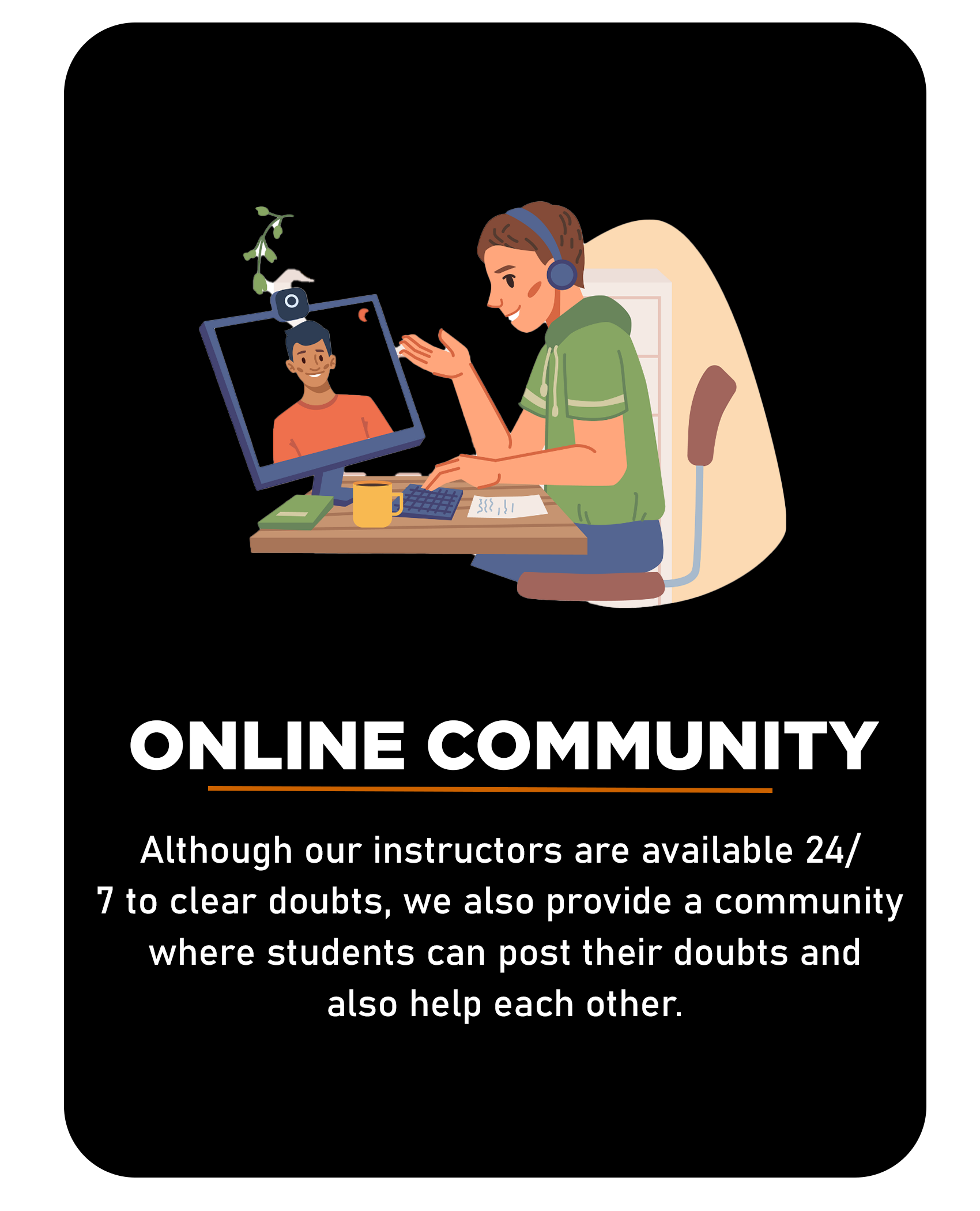
The education offered by Python Life is industrial education. We are known for our course programs. And whatever we teach, it starts from scratch to advanced level. An experienced instructor is available to him 24/7 to clear any doubts.

Yes, all concepts are taught from basic to advanced level and the instructor will check if students understand before moving on to more subjects.

Of course, Python Life trains students according to industry requirements and specifications. We also conduct in-house planning and mock interviews.

There are no eligibility criteria for this course, which is taught from start to finish, so anyone interested in the course can participate.

Yes, you will receive a course completion certificate from Python Life when you submit your project at the end of the course.

Sorry, No refunds.

You can join by paying from our site. Immediately after payment, you will receive a confirmation from us to guide you through the further process.

Yes, all sessions will be recorded and will be provided for the students.